


Filament Bible
4.1308.00 Reviews
App Specs
- Version
- 4.1.8
- Updated On
- License
- Free
- Downloads
- 100,000+
- Developer
- Tyndale House
- Categories
- Books & Reference
- Platform
- Android
Screenshots
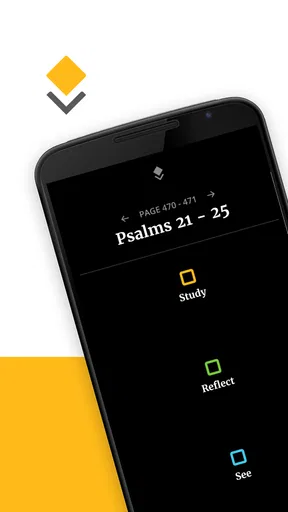
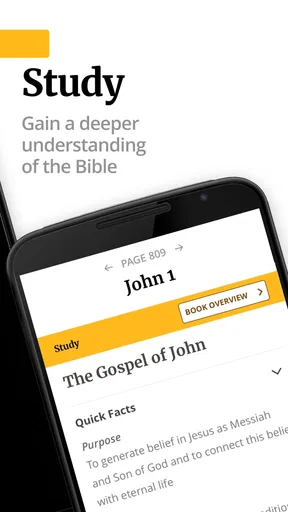
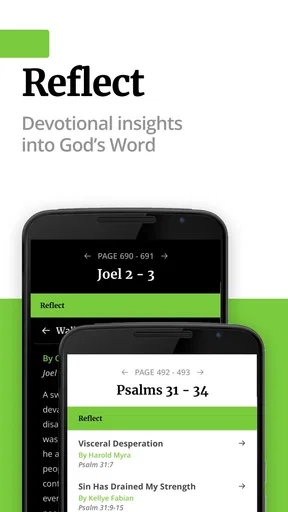
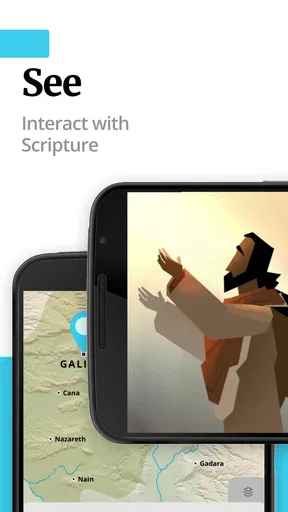
 Analysis by AppCompare
I approached Filament Bible as someone looking for a practical Bible-reading companion rather than another app to install and forget. Its central appeal is easy to understand: it connects a printed Bible with digital material from Tyndale House, giving readers a way to move between physical reading and phone-based reference. That makes it especially interesting for people who like the feel of a paper Bible but still want a more guided digital experience nearby.
The app is free, aimed at everyone, and belongs in the Books & Reference category. It has reached over 100 thousand installs, with an average rating of 4.1 from around 1.1 thousand ratings and 308 written reviews. Those figures suggest a useful but not universally effortless experience. After spending time with it, my impression is that the idea is stronger than the first few minutes of setup: once the relationship between the printed Bible and the app makes sense, Filament Bible becomes much more useful.
Getting past the first points of friction
The most common stumbling block is understanding what the app expects from the reader. This is not simply a standalone Bible reader where I open it, choose a book, and begin scrolling. Its identity is built around the “Print+Digital” concept, so the physical Bible is part of the intended experience. If I approached it expecting a conventional reading app, I could easily wonder why the opening process feels different from a typical reference tool.
That distinction matters before judging the app. A standard Bible app usually starts with a digital library, search field, bookmarks, and reading controls. Filament Bible is more useful when I want digital help alongside a printed edition. The phone is not necessarily replacing the book; it is complementing it. Readers who understand that from the beginning will probably find the design more logical than those looking for a completely independent digital Bible.
Another source of hesitation is the identification step. The app needs to connect the digital material with the relevant printed Bible, so I would not rush through any screen that asks me to identify an edition or use a code. A careful scan, a readable code, and good lighting are simple details, but they make a noticeable difference. If the camera has trouble recognizing something, cleaning the lens, flattening the page, and holding the phone steady are sensible first checks before assuming the app is broken.
The key setup insight is to treat the printed Bible and the phone as one reading system. I would keep the book open on a stable surface, use the app in good light, and avoid switching rapidly between unrelated screens during registration. That small change in approach reduces confusion and makes the app feel less like a complicated download.
What to check before blaming the app
Filament Bible runs on Android 7.0 or later, so compatibility is worth checking before installation. A phone that meets the operating-system requirement should still have enough free storage and a dependable internet connection during the initial setup. I would also make sure the device is not aggressively restricting the app in the background, particularly if the phone is older or uses a heavy battery-saving mode.
Worth Reading Before You Choose

EA SPORTS FC Mobile 26 Is a Bigger Football Game, but It Takes Time

Flipboard Shows What News Apps Must Do Beyond the Feed

Switching to Android Auto Means Rethinking Your Driving Routine

Google Calendar Makes a Crowded Week Easier to Manage

Ludo King Makes the Most of the Minutes Between Plans

Baby Panda World Brings Quick Play to Modern Phones, but Its Game Library Feels Busy
These are ordinary checks, but they matter because setup problems often look alike. A slow connection can resemble a frozen screen. A camera that cannot focus can resemble an invalid code. An interrupted download can leave a reader thinking the selected material is unavailable when the real issue is simply that the process did not finish cleanly.
My recommended order is straightforward:
- Confirm that the phone uses Android 7.0 or newer.
- Install the current version, which is 4.1.8.
- Use a stable connection while the app prepares its digital material.
- Give the camera a clear view if the setup asks for scanning.
- Keep the printed Bible nearby instead of trying to complete the process from memory.
I would also avoid beginning the setup while travelling through an area with unreliable reception. The app’s concept depends on matching physical and digital resources, and that is exactly the kind of task that becomes frustrating when a connection repeatedly drops. Starting at home, with the book and phone together, is a much better first experience.
The age rating of Everyone makes the app approachable for a broad audience, including families and older readers who may not be comfortable experimenting with unfamiliar digital tools. Still, “suitable for everyone” does not mean every screen will be self-explanatory. A first-time user may benefit from taking the process slowly rather than tapping through prompts automatically.
Recovering when the workflow breaks
If the app stops responding during setup, I would begin with the least disruptive fix: close it, reopen it, and repeat the last step carefully. I would not immediately uninstall it, because restarting may be enough and an unnecessary reinstall can create more work. If the issue occurs during scanning, I would retry with brighter light, less glare, and the page held flat.
If material seems incomplete, I would first allow the app time to finish loading on a stable connection. I would then check whether the selected printed edition was identified correctly. Choosing the wrong edition, or assuming that every printed Bible uses the same process, can lead to a mismatch that feels like missing content. The safest recovery is to return to the identification stage and verify the physical book rather than repeatedly tapping the same screen.
When a screen appears stuck, I would also check whether another system prompt is waiting behind it. On a small phone, permission or confirmation windows can be easy to overlook. Rotating the device, returning to the previous screen, or restarting the app can reveal whether the workflow is genuinely blocked or simply waiting for an action that was missed.
There is a useful trade-off here. A conventional Bible app is usually easier to start because it does not need to understand a physical edition. Filament Bible asks for more attention at the beginning, but that extra step supports its main advantage: the digital experience is connected to the printed Bible instead of existing as a completely separate library.
Using it in an ordinary reading routine
The most realistic use case for me is a short evening reading session. I would place the printed Bible on a desk, open the app on my phone, and use the digital side when I want supporting material without filling the physical pages with notes. This setup suits a reader who enjoys paper but often reaches for a phone when a passage raises a question or needs more context.
It also works well for a small group or family setting where one person reads from the printed Bible and another keeps the digital companion available. The phone can remain nearby rather than passing a single book around. That is a modest convenience, but it changes the rhythm of a shared reading session and avoids turning the app into a distraction that everyone must stare at continuously.
A less obvious benefit is that the arrangement encourages deliberate reading. Since I am looking at the printed page first, I am less likely to skim through a long digital feed. I can read the passage, pause, and then use the companion material with a specific purpose. For readers who find ordinary phone-based Bible apps too easy to browse aimlessly, this print-first workflow may provide welcome structure.
There is also a practical limitation: the experience is less convenient when I do not have the physical Bible with me. On a commute or during a spontaneous moment away from home, a fully digital Bible app is usually the better choice. Filament Bible makes the most sense when the printed edition is part of the routine, not when I want a universal replacement for every other Bible tool.
I would organize my use around a few simple habits. First, keep the app close to the book but not directly over the page, so the phone does not block reading. Second, use it after reading a passage rather than opening it every few seconds. Third, if a session becomes confusing, return to the printed page and re-establish where I am before navigating further. That last habit sounds basic, but it prevents the digital material from becoming detached from the text that prompted me to open the app.
When the app is not actually the cause
Not every failed scan, delay, or interruption points to a software defect. Camera focus, glare from glossy paper, weak reception, battery-saving restrictions, and an outdated operating system can all interfere with the experience. I would test the phone’s camera in another app, move to brighter indirect light, and temporarily leave a weak-signal area before concluding that Filament Bible is at fault.
The same applies to performance. If several demanding apps are open, the phone may pause or reload Filament Bible even though the app itself is functioning normally. Closing unnecessary apps and restarting the device are reasonable general troubleshooting steps. They are especially relevant on older hardware that technically meets the minimum system requirement but has limited room for multitasking.
Storage is another easy-to-miss factor. A free app can still need space for its working files or digital material. If installation or loading behaves strangely, I would check available storage and remove only unwanted files, not the app’s data, until I was sure a reset was necessary. A clean connection and available space solve many problems more safely than repeatedly reinstalling.
I would also separate a content question from a loading problem. If the app opens normally but the material does not match the printed Bible, that is more likely an identification issue than a general performance failure. If the whole app closes or refuses to open, the operating system, storage, or installation state becomes more relevant. Making that distinction helps avoid applying the wrong fix.
For readers who need accessibility tools, the phone’s own display settings may help, but the print-and-phone arrangement still has a physical limitation: the printed page remains part of the workflow. Someone who needs every word enlarged, read aloud, or adjusted digitally may be better served by a dedicated digital Bible app designed around those controls. Filament Bible is strongest for readers who are comfortable keeping paper at the center.
Who will get the most from it
I would recommend Filament Bible to someone who already owns a compatible printed Bible and wants more from it without abandoning the page. It is also a good fit for readers who enjoy study prompts, supporting material, and a guided routine but do not want to spend the entire reading session inside a scrolling phone interface.
Families may appreciate the Everyone rating and the straightforward print-plus-phone concept, although younger users may need help with the initial identification process. It can also suit a new reader who benefits from having a physical anchor while learning how to use digital reference material. The app’s free price removes the usual hesitation about trying it, which makes experimentation easier for people who are unsure whether a companion tool belongs in their routine.
I would skip it if my main requirement were a self-contained Bible for travel, offline reading, or rapid searching across a broad digital library. In those situations, a conventional Bible app is likely to feel faster and more flexible. I would also choose another option if I rarely read a printed Bible, because the central print-and-digital relationship would offer less value.
The rating of 4.1 is consistent with my balanced view: this is a worthwhile idea with a learning curve, not a frictionless replacement for every Bible app. Its appeal depends heavily on the reader’s habits. Someone who likes paper may see the extra setup as a fair exchange for richer support. Someone who wants immediate digital access may see the same process as unnecessary.
How it compares with familiar alternatives
Compared with a basic e-reader Bible, Filament Bible feels more physical and more intentional. A standard digital reader wins for speed: open the app, search, and move on. Filament Bible wins when the printed page is where I want to read and the phone is there to extend that experience.
Compared with a study Bible in print, the app offers a different kind of flexibility. A printed study Bible keeps everything in one object, which is convenient and distraction-free, but it can be heavy and less adaptable. Filament Bible separates the reading surface from the supporting digital material. That makes the book easier to approach while keeping the phone available for additional help, though it also means managing two objects rather than one.
Compared with broad reference apps, Filament Bible feels narrower and more focused. That can be a strength for readers who do not want a crowded dashboard of unrelated tools. It can be a weakness for advanced users who expect extensive customization, a large collection of translations, or a highly searchable research environment. I would choose based on the kind of reading I actually do, not on which app has the longest feature list.
The most important comparison is therefore about workflow rather than raw capability. If I want a digital Bible first, I would choose a digital-first alternative. If I want my printed Bible first and a companion on the phone, Filament Bible is the more natural match.
A practical verdict after the learning curve
Filament Bible is a thoughtful Books & Reference app from Tyndale House that makes the most sense when its print-and-digital design is taken seriously. The free access and broad age rating make it easy to try, while the established install base shows that the concept has found an audience. I like that it encourages me to begin with the physical text instead of turning every reading session into phone browsing.
Its main weakness is also clear: the first setup can feel less obvious than opening an ordinary Bible reader. Scanning, matching the correct printed edition, dealing with connection delays, and understanding the intended workflow all require patience. Those are not reasons to dismiss it, but they are reasons to start with the book beside the phone and troubleshoot methodically.
My final recommendation is simple. Choose it if you want to enrich a printed Bible with digital support and are willing to spend a little time getting the connection right. Choose a conventional digital Bible instead if you need a standalone tool that works independently of a physical book. For the right reader, Filament Bible is not trying to replace the printed Bible; its value comes from making that Bible more useful.
Pros
- Clear verse highlighting makes reading and study easier.
- Useful cross-reference tools help connect related Bible passages.
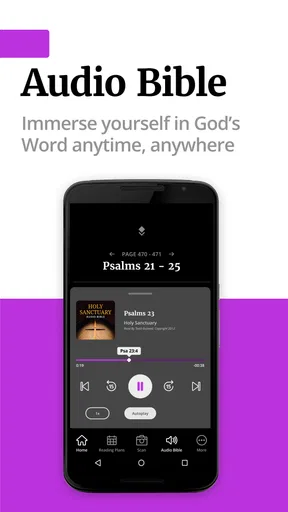
- Audio Bible options support listening while commuting or relaxing.
- Personal notes and bookmarks make it easy to save meaningful verses.
- Clean layout works well for both quick reading and longer study sessions.
Cons
- Some advanced study features may require a paid subscription.
- The app can feel overwhelming for users new to Bible study tools.
- Audio downloads may use considerable storage space on the device.
- Search results can vary depending on the selected Bible translation.
- Certain features may require an internet connection to work properly.
FAQs for Filament Bible
What is Filament Bible, and how does it work?
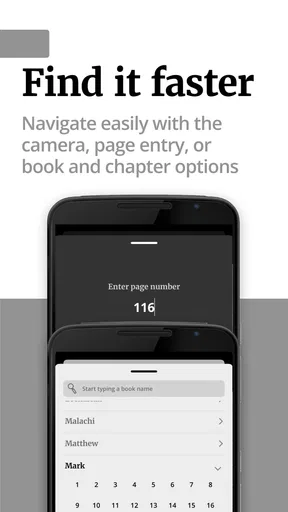
Filament Bible is a study resource designed to connect a printed Bible with additional digital content. By scanning specially marked pages or using the app’s available navigation tools, readers can access explanatory notes, videos, maps, devotionals, and other study materials related to the passage they are reading. It is intended to make personal Bible study more interactive without replacing the physical Bible itself.
Do I need a special Bible edition to use Filament Bible?
Yes, Filament Bible is generally designed to work with compatible Filament-enabled Bible editions. The app identifies the specific Bible and page being used so it can display the correct supplementary content. Before downloading, check the product description, cover, or publisher information for compatibility. A standard Bible may not provide access to all Filament features or page-linked resources.
Does Filament Bible require an internet connection?
An internet connection may be required for downloading the app, activating a Bible edition, streaming videos, loading study resources, and receiving updates. Some content may be available after it has been downloaded, but offline access can vary depending on the resource and app version. If you plan to study while traveling or away from Wi-Fi, open the materials beforehand and confirm what remains accessible offline.
Is Filament Bible free to download and use?
The Filament Bible app may be free to download, but access to its complete content usually depends on owning a compatible Filament Bible edition. Some features or resources may be included with the physical Bible, while others could depend on the publisher’s current policies. Because pricing and availability can change, review the app-store listing and edition details before assuming that every feature is completely free.
What kind of content is included in Filament Bible?
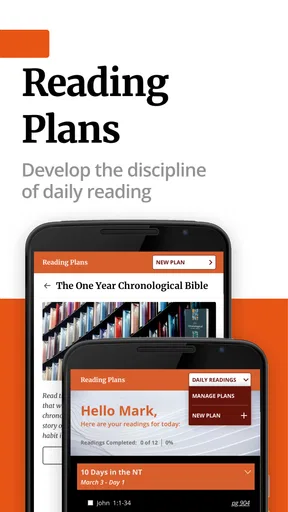
Filament Bible can provide a broad collection of Bible-study materials, including explanatory notes, articles, reading plans, devotionals, videos, worship-related resources, maps, timelines, and introductions to biblical books. The exact selection depends on the compatible Bible edition and the publisher’s content updates. It is especially useful for readers who want context and guidance while studying, although it should be used alongside thoughtful reading and personal interpretation.


